SaaS development from scratch: a team platform with an AI agent
My own product. I designed and built the software, the AI agent and the website it is sold from.
- Client
- Wrkbase
- Role
- Founder and developer
- When
- 2026 to present
- Work
- Custom development, SaaS
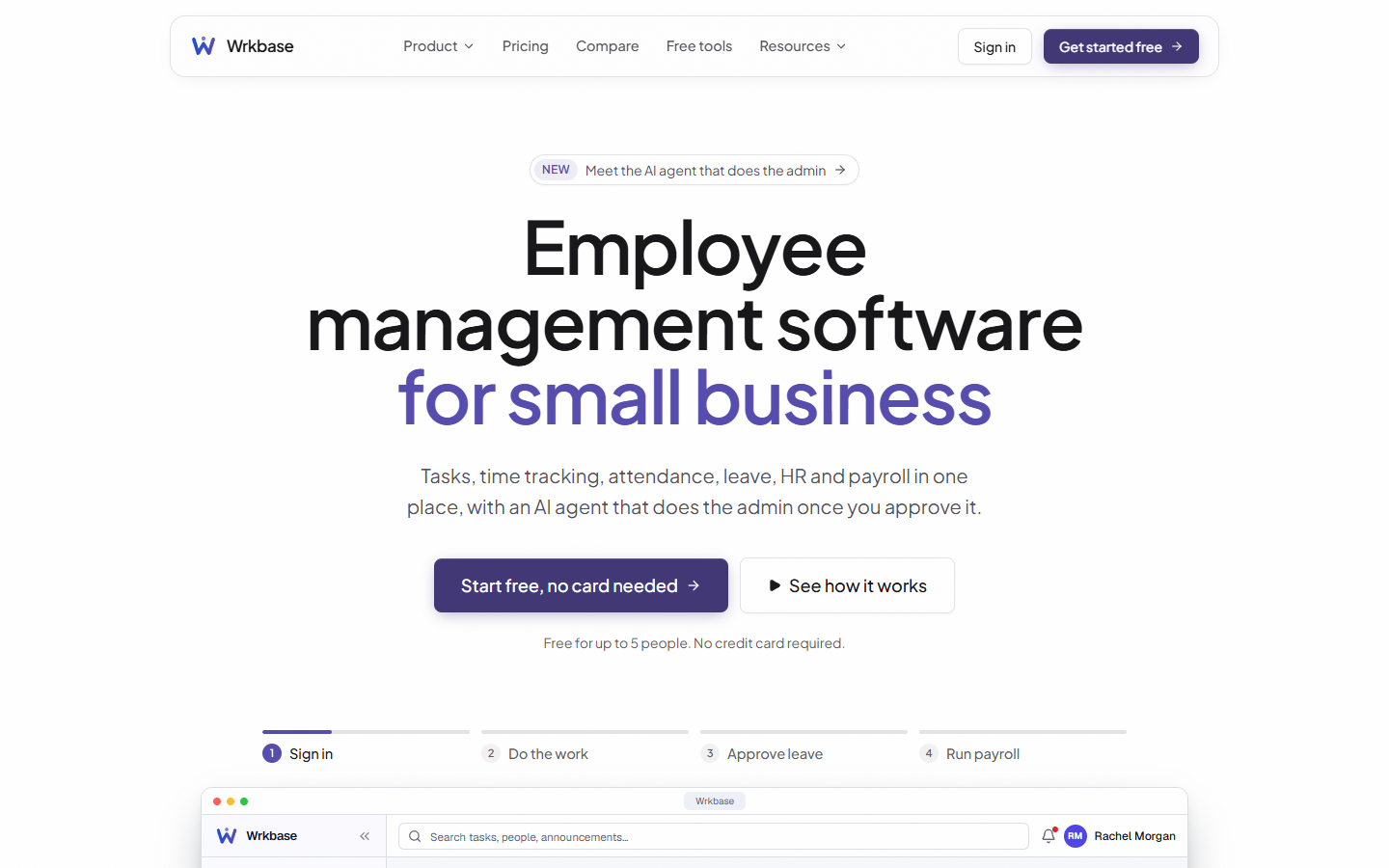
Why I built it
I kept seeing the same problem on client teams: daily operations spread across five or six tools that do not talk to each other. Wrkbase puts them in one system for small businesses, agencies and remote teams.
The software
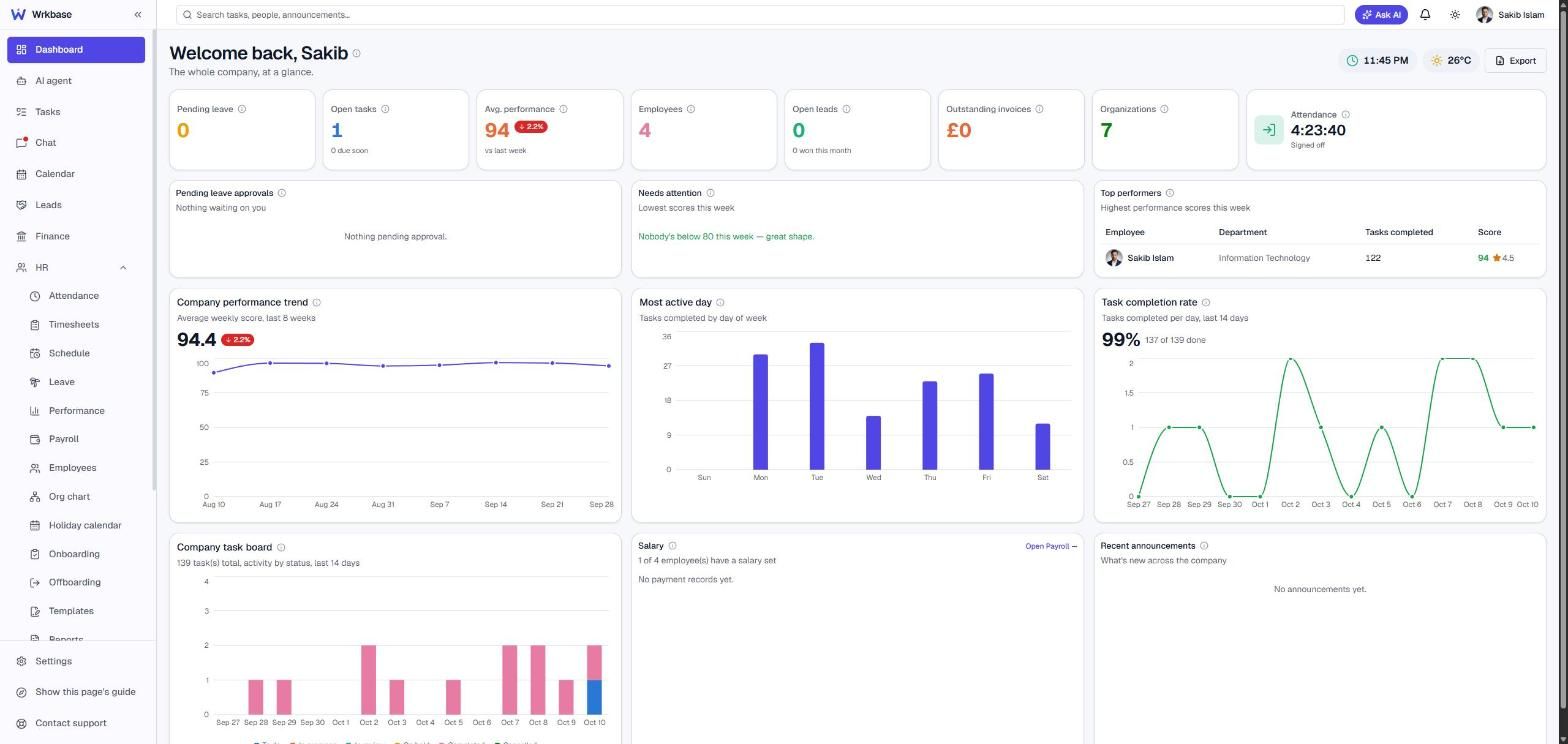
- Tasks with automatic time tracking, so nobody has to remember a timer
- Attendance, leave, performance, payroll and payslips
- Team chat alongside the work
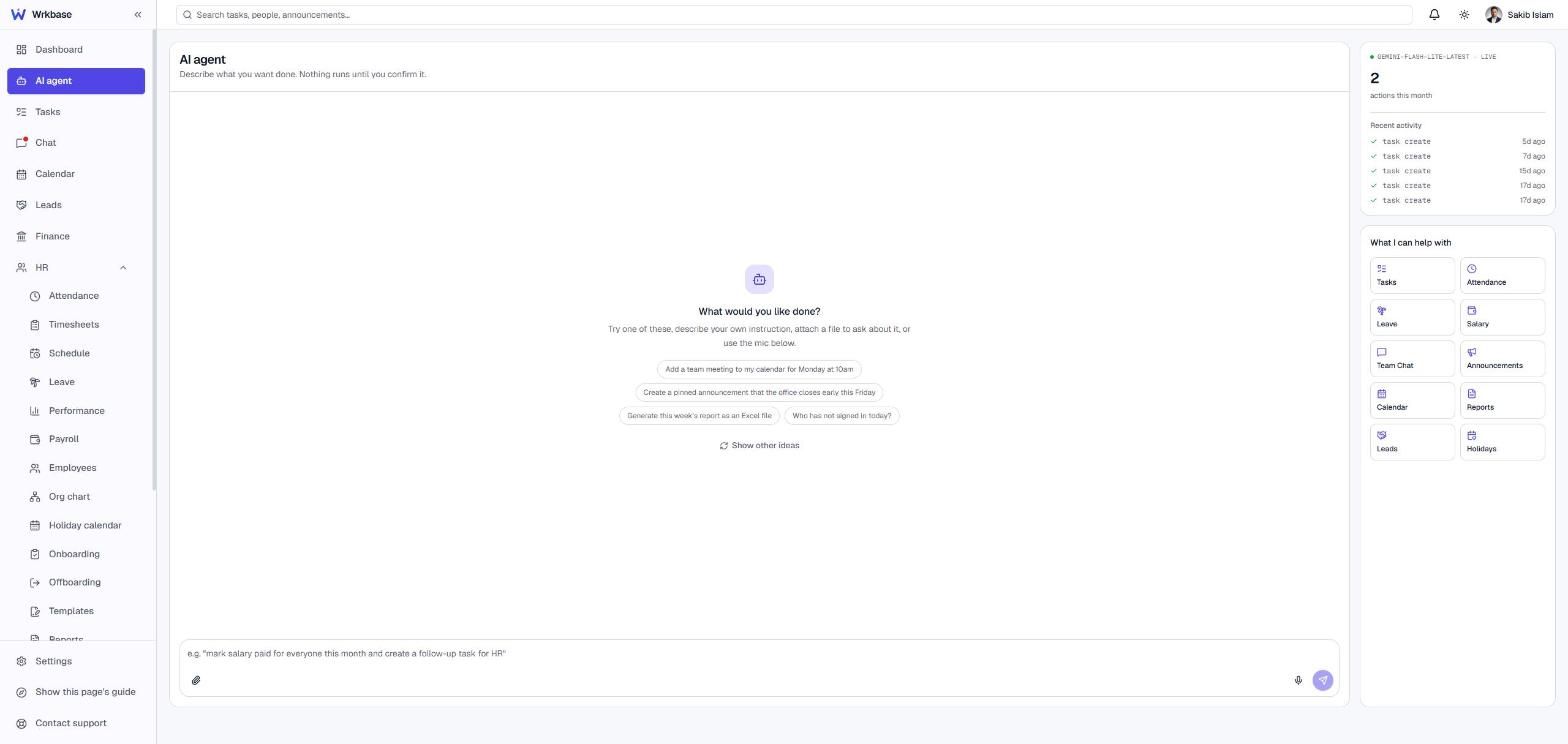
- An AI agent that plans operational work, shows each step, waits for approval, then executes, with every action logged
- Role-based access and audit logging
The website
- Product and feature pages, and a page for the AI agent
- Free tools: overtime, PTO accrual, time card, employee cost and turnover calculators
- Comparison pages, pricing, a blog, a help center, a glossary and a changelog
What it shows
This is custom development, not WordPress. I designed the product, built the software, and built the site it is sold from.
How the SaaS development went
- I built sign-in first, so everything after it knew who the user was
- Time tracking is automatic. I removed manual timers because people forget to start them
- Tasks sit behind sign-in on purpose: a person who has not signed in cannot start work, so attendance takes care of itself
- The AI agent came last, on top of data the product already had
A bug worth describing
The agent started telling users it was unavailable. The API was answering and the model’s replies were fine. The fault was earlier: the agent was not being triggered, and a render delay made it look like a failure. I fixed the trigger. It is a good example of why an AI feature needs someone who can follow the whole path, not only the model call.
Inside the site, 11 October 2026
Read from the live site, page by page.
Size. 79 pages in the sitemap:
- 22 blog articles
- 18 feature pages
- 13 free tools
- 5 pages comparing Wrkbase with a named alternative
- 3 solution pages
What the pages do.
- A pricing page built so nobody needs a sales call: every feature side by side, and what the price replaces
- A comparison page that includes a section on what Wrkbase does not do
- A help center, a glossary, a changelog, a status page and a security page
- A free plan for teams of up to 5 people
How it is built.
- Custom-built, no WordPress
- The home page loads one script and two stylesheets
- HTTPS enforced and a content security policy in place
What search engines see.
- Structured data for the software product, its price and its FAQ
- Every one of the 33 images on the home page has alt text and loads only when scrolled to
Common questions
What does SaaS development from scratch involve?
SaaS development from scratch means building the accounts, the data, the rules for who can do what, the screens and the billing, then the site that sells it. For Wrkbase I did all of it: tasks, time tracking, attendance, leave, payroll, chat, an AI agent and the marketing website.
What should a SaaS MVP include first?
The one thing users must be able to do, and sign-in. I built Wrkbase's sign-in first, then tasks with automatic time tracking. Everything else was added on top once that core worked.
How do you add an AI agent to a SaaS product safely?
Give it only the permissions its user has, make it show its plan, wait for approval before acting and log every action. That is how the Wrkbase agent works.